
Search Console’s Performance report defaults to the past 3 months and provides Google Search clicks, impressions, CTR, and average position, as documented in Google Search Console Help. Start there. It gives you evidence of where Google already shows your site before you spend time creating more pages.
To up your SEO, improve a small number of commercially useful pages that already earn visibility, make them answer the searcher’s task fully, then remove the technical barriers that stop Google from crawling or indexing them. Measure clicks, impressions, CTR, and qualified conversions together. A number-one ranking is not the operating target.
Step 1: Find real opportunities
Open Search Console, select Performance, and use its Queries and Pages tabs. Turn on Clicks, Impressions, CTR, and Average position in the scorecards above the chart. Set the date range to the past 3 months, then make a short list of URLs that already get impressions and serve a business purpose, such as a product, use-case, comparison, or buyer guide page.
Find pages that searchers see but do not choose. Select CTR, open the Pages tab, and sort CTR in ascending order. Google Search Console Help says low CTR can indicate that searchers do not think the page answers their query. In the Queries tab, look for high-impression searches that align with what you sell. Do not audit every URL. Choose a manageable set where a better page could lead to a meaningful inquiry, signup, or sale.
Record the baseline for each selected URL: clicks, impressions, CTR, average position, and your own conversion outcome. If traffic has recently fallen sharply rather than simply underperforming, use this traffic drop recovery plan before changing titles or content at random.
Step 2: Match search intent
For each priority URL, group its related queries around one searcher job. Read the current search results for the main query and write down what the searcher appears to want to accomplish. A person searching for a product comparison needs a different page from someone seeking implementation instructions or a definition.
Keep one primary job per page. Improve the current URL when its topic and intent are already right but its answer is weak, incomplete, or poorly presented. Create a new page only when the query represents a genuinely different need. Google’s SEO Starter Guide explains that language-matching systems can understand a page’s relationship to many queries, so write for the reader’s task rather than forcing every keyword variation into the copy.
Map each selected query cluster to an existing or planned page and its conversion action. This prevents several thin pages from competing to answer the same question, and it gives your next edit a clear purpose.
Step 3: Improve the page
Rewrite the page so a buyer can complete the task that brought them there. Add original product knowledge, examples, evidence, accurate headings, and a clear next action. Check that the main content directly serves the page’s purpose and offers substantial value compared with the pages already ranking, using Google’s helpful content guidance as the standard.

Edit the page’s <title> element. Give it a descriptive, distinct title, put essential wording early, and avoid generic labels, one or two word titles, and keyword blobs. MDN’s title element reference notes that search engines commonly display only about the first 55-60 characters. Make the visible title, headings, and opening answer agree with the searcher’s intent.
Add internal links from relevant pages using concise anchor text that describes the destination. Every important page should have a link from at least one other page on your site, according to Google’s crawlable links guidance. Build this work into a deliberate SaaS content strategy, rather than publishing disconnected posts.
You can do this free with a review-first editorial workflow: use the query evidence, inspect the results, draft the improved answer, fact-check it, and publish only after review. SEO for SaaS, made by this site’s publisher, performs buyer-intent topic selection, produces researched and cited articles, supports publishing, and can rewrite articles at the same URL when clicks fall. It still needs your product expertise to make the page genuinely useful.
Step 4: Check indexability first
Open Search Console’s Page Indexing report and investigate the status of each priority URL. Then open URL Inspection, enter the full URL in the top search bar, and check “Indexing allowed?” plus the detected canonical. Google’s technical requirements say an eligible page must not block Googlebot, must return HTTP 200, and must have indexable content. Eligibility does not guarantee indexing.
After a meaningful repair, select “Test Live URL” to diagnose the current page, then select “Request indexing.” Google applies a daily per-property request limit and does not promise immediate inclusion. Use robots.txt to control crawler access, not as a no-index switch. For an HTML page that should stay out of results, use a robots meta tag with noindex while allowing Google to crawl it. Use one rel="canonical" link for duplicate or substantially duplicate URLs, such as parameter variants.
Publish an XML sitemap to aid discovery, then keep it current. A sitemap does not guarantee inclusion. For implementation details on crawlability, canonicals, and site structure, follow this technical SEO guide for SaaS.
Step 5: Earn relevant links
Create material other people in your buyers’ field will honestly want to reference: original research, useful product data, expert contributions, integration documentation, or a resource that solves a recurring problem. Tell relevant communities and existing customers about it through legitimate promotion. Useful links can help Google discover pages and contribute relevance signals.
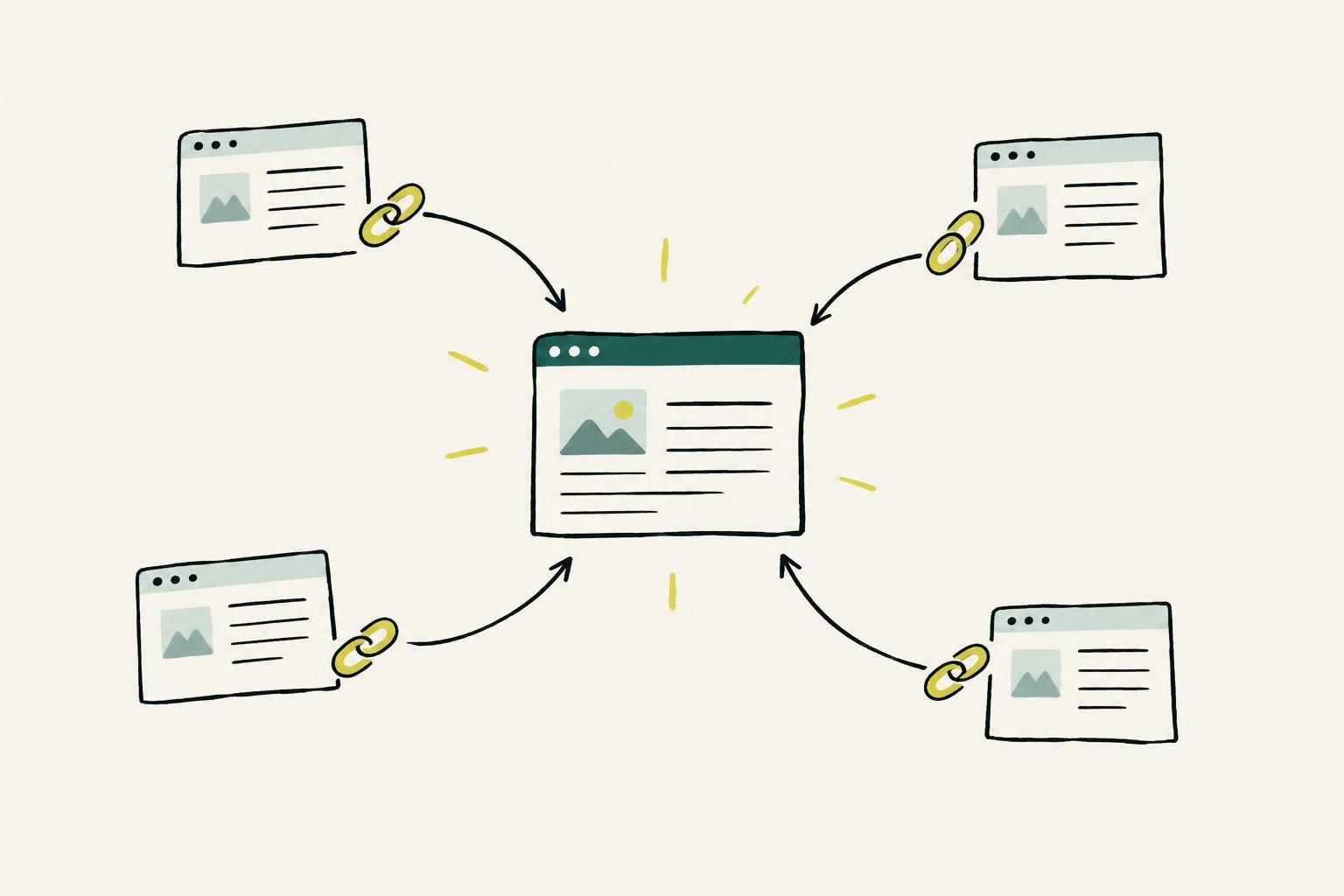
Do not buy backlink packages, trade links at scale, or automate link creation. Google’s spam policies classify links created primarily to manipulate rankings as link spam. Qualify paid advertising or sponsorship links with rel="nofollow" or rel="sponsored". Build a repeatable editorial program with this content marketing guide for link building.
Step 6: Measure the next move
Return to Performance and apply a URL filter for each improved page. Select Average position and compare a similar time frame when you need position history, but give more weight to the trends in clicks and impressions. Read all four metrics together: rising impressions show expanding visibility, CTR indicates whether searchers choose the result, clicks show visits, and your own analytics show whether those visits become qualified conversions.
Use real-user Core Web Vitals as a supporting usability check. At the 75th percentile of page views, web.dev’s Core Web Vitals thresholds define good performance as LCP no more than 2,500 ms, INP no more than 200 ms, and CLS no more than 0.1. Fix the page issue that the combined evidence points to, then measure again instead of making several unrelated changes at once.
The three-month Search Console baseline gives you the standard for progress: a visible change in clicks, impressions, CTR, and conversions from the few pages your team deliberately improved. That is the result worth pursuing.