
Technical SEO for SaaS is not a race to clear every audit warning. It is the discipline of making the pages that introduce, educate, and convert prospective customers consistently accessible, understandable, and dependable through product and website changes. Start with revenue paths, establish a baseline, then turn technical checks into part of how your team ships.
What is technical SEO for SaaS?
Technical SEO for SaaS is the work of controlling how public website pages are discovered, rendered, linked, indexed, and maintained. It covers the practical machinery behind a marketing site, documentation, integration pages, comparison pages, and other acquisition assets.
For a SaaS company, the boundary matters as much as the optimization. A public pricing, use-case, documentation, or integration URL can support acquisition. A logged-in dashboard, account screen, preview environment, and internal search result usually should not compete for attention in organic search. Technical SEO sets those boundaries deliberately.
It also connects marketing decisions to engineering decisions. A page can have strong messaging and useful content yet fail to contribute if a release changes its URL, removes key page content during rendering, severs internal links, or leaves search engines with conflicting canonical signals.
What are the benefits of technical SEO for SaaS companies?
The immediate benefit is reliability. Your public acquisition pages remain available, coherent, and connected as the product, site, and content library grow. That makes content and demand-generation work more durable because a page does not lose its path to discovery after a redesign or launch.
- Protect high-value URLs during migrations, product renames, and information-architecture changes.
- Keep public search assets separate from private app routes and temporary environments.
- Give prospective buyers a clearer route from educational content to a relevant use case, feature, integration, or trial page.
- Reduce the chance that deployment changes erase titles, body copy, canonical tags, internal links, or page status handling.
- Create a shared operating language for founders, marketers, developers, and product teams.
The business outcome is not a cleaner audit score. It is a public site that can keep earning qualified visits and route those visitors toward a commercial next step. Treat audit scores as clues. Treat visibility and pipeline as the decision criteria.
Why SaaS technical SEO requires a different playbook
SaaS websites tend to change in ways that ordinary editorial sites do not. Teams launch features, retire capabilities, rename plans, introduce integrations, create account-specific routes, publish release notes, and rebuild a marketing layer independently from the application. Each change can create or remove a public search asset.
The site is also rarely one thing. It can contain a homepage, solution pages, pricing, a blog, a documentation site, a help center, a changelog, an app subdomain, and staging deployments. A useful technical SEO program assigns a purpose to each area instead of applying one blanket rule across every URL.
Finally, SaaS demand is often category-specific. Someone evaluating an integration needs a different landing experience from someone learning a workflow, comparing alternatives, or looking for implementation help. Your architecture and internal links should preserve that intent rather than funneling every visitor through the homepage.
Start with revenue pages, not a sitewide checklist
Do not begin by trying to fix every warning a crawler produces. First list the URLs that participate in acquisition: pages that explain the product, address a use case, describe an integration, compare a category or alternative, capture a trial, or support an evaluation. These are the pages whose technical health deserves immediate attention.

For each page, write one sentence that names the intended buyer, the job they are trying to do, and the next commercial step. If the team cannot state that clearly, adding more technical work will not resolve the underlying prioritization problem.
Map technical risks to the SaaS buyer journey
Map your journey from discovery to evaluation to activation. Then identify the technical failure that would break each stage. Discovery pages need a stable public URL, useful rendered content, and internal links from related pages. Evaluation pages need accurate routing, a clear canonical choice, and working paths to product evidence or signup. Activation pages need clean handoffs into the app without exposing private or duplicate account URLs.
This map prevents a common waste pattern: spending a sprint on low-value template warnings while a high-intent integration page is orphaned after a navigation change. The right fix is the one that restores a buyer path, not the one that makes the audit look tidier.
Score fixes by indexability, business value, and engineering effort
Use a simple three-part score. First, ask whether the page is publicly reachable and eligible to be a search asset. Second, assign business value based on the buyer intent and conversion path it serves. Third, estimate engineering effort and release risk. Prioritize work that protects indexable, commercially meaningful pages with a manageable implementation.
- Urgent: a revenue page returns the wrong status, points to the wrong canonical URL, has disappeared from navigation, or no longer renders its core content.
- Next: a cluster of useful pages lacks contextual links to the relevant solution or signup path.
- Later: a template inconsistency affects pages with no acquisition role, provided it does not create a broader technical risk.
Build a crawl and indexation baseline before changing anything
Before a redesign, framework migration, large content push, or technical cleanup, capture a baseline. Export the public URL inventory, organize it by template and business purpose, and record each URL’s intended status. Include the title, canonical destination, internal-link sources, sitemap presence, and the action a visitor can take.
This inventory becomes your control document. After a release, compare the new state with the intended state instead of relying on memory or an aggregate crawl score. It also gives engineering a finite list of pages to validate.
Separate public acquisition URLs from app, account, and staging URLs
Create explicit route classes: public marketing, public docs, public help content, authenticated app, account management, preview, staging, and internal tooling. For each class, decide whether it should be discoverable, included in your public sitemap, linked from public pages, and eligible to appear in search.
Do not let these decisions emerge accidentally from framework defaults. A staging deployment that looks public, a preview URL linked in a changelog, or an account route included in a sitemap creates confusion for users and for your own team. Put route ownership and launch rules in writing.
Diagnose orphan pages, crawl traps, and wasted crawl paths
An orphan page has no meaningful internal path from the rest of the public site. Find these by comparing the URLs you expect to exist with URLs found through internal links. Then decide whether to link, consolidate, redirect, or retire each one. A valuable page should have a deliberate place in the site, not merely exist in a sitemap.
Also inspect URL patterns that multiply without adding a distinct buyer need: internal search results, endless filter combinations, calendar-like archives, parameter variants, empty category pages, and app-generated states. The remedy is not automatically to hide everything. First identify the single useful public version, then ensure navigation, canonicals, sitemaps, and redirects support that choice.
Make JavaScript SaaS sites renderable and indexable
A modern SaaS marketing site often uses JavaScript for interaction, routing, personalization, and product demonstrations. The technical question is straightforward: does the public URL deliver the durable page meaning that a prospective visitor needs, and does that meaning survive rendering, hydration, navigation, and deployment?
Keep the core acquisition message stable. The page’s topic, heading structure, explanatory copy, internal links, and primary action should not depend on a fragile client-side sequence. Rich interactions are useful after that foundation is present.
Choose rendering deliberately for marketing, docs, and app routes
Choose rendering by route purpose, not by a single rule for the whole codebase. Marketing pages and evergreen documentation benefit from a predictable public output. App routes often require user-specific behavior and should be treated as private product surfaces. Documentation may need a separate publishing cadence and navigation model from product marketing.
Write a route decision record for new templates. It should state the intended audience, whether the route is public, what content must be present on first load, the canonical URL pattern, and which team owns changes. This is lightweight documentation with high leverage during handoffs.
Prevent hydration, routing, and deployment mistakes from removing SEO signals
Test the deployed production page, not only the local component. Compare the intended title, headings, body content, canonical signal, navigation, and links before and after client-side behavior begins. Check direct loads of deep URLs, browser navigation, refreshed routes, and error states.
Treat metadata and internal links as release-critical outputs. A template that briefly displays an empty shell, points all pages to one canonical URL, or loses links after a routing refactor can damage an entire section at once. Add representative URLs for every template to release QA.
Control URL architecture, duplicates, and canonical signals
Every public page needs one clear job and one preferred URL. URL architecture is the practice of making that choice legible across navigation, internal links, sitemaps, redirects, and canonical signals. It matters most when a SaaS site grows quickly and several teams can create pages.
Use patterns people can understand. Keep category, use-case, integration, documentation, and blog paths consistent. Avoid changing a URL merely because a navigation label changes. A stable URL is an asset when the page remains relevant.
Handle comparison, alternatives, and integration pages without cannibalization
Comparison, alternatives, and integration pages can overlap because they often mention the same products and use cases. Give each page a distinct decision. One page can address a named comparison, another can explain switching from a specific alternative, and an integration page can focus on the workflow created by two products together.
Before publishing, check whether an existing page already answers the same buyer question. If so, strengthen the existing page or assign the new page a narrower purpose. Do not create near-identical pages and expect canonical tags to solve an editorial planning problem.
Use redirects and canonicals correctly during product and website changes
Use a redirect when an old public URL has a clear replacement. Send visitors to the closest equivalent destination, not automatically to the homepage. Use a canonical signal when substantially similar public versions need one preferred representative. These are separate decisions: redirects manage a moved destination, while canonicals express a preferred version among similar pages.
Maintain a redirect map for redesigns and product changes. Include the old URL, intended destination, reason, owner, and validation result. Recheck it after launch, especially for pages with meaningful internal links or commercial purpose.
Create an internal linking system that supports SaaS revenue pages
Internal links are a product of information architecture, not an afterthought at the end of content production. Each educational article should point to the most relevant next evaluation step, and each revenue page should connect back to evidence, guides, integrations, documentation, and adjacent use cases that reduce buyer uncertainty.
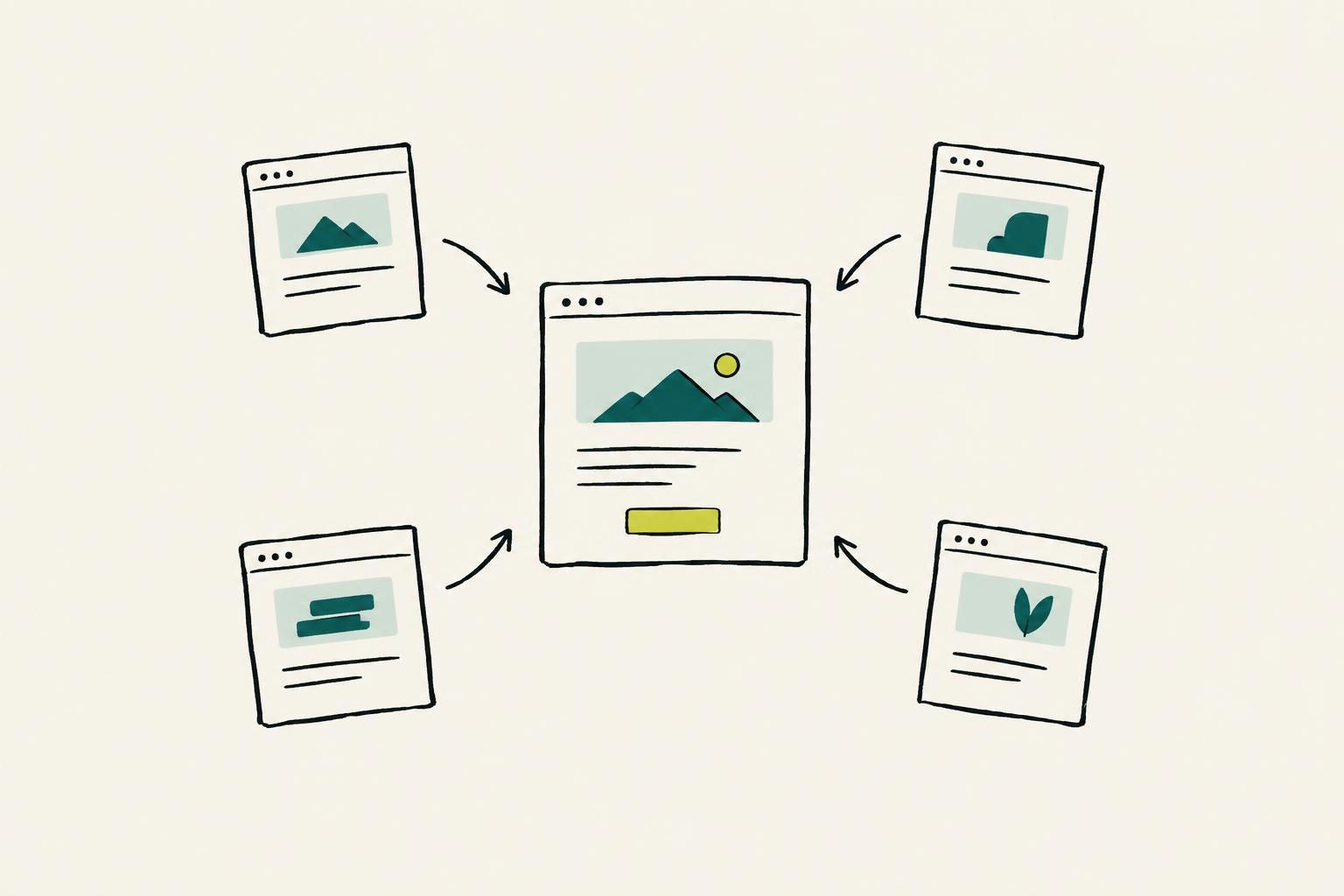
Build links in both directions. A guide about a workflow should link to the relevant use-case page. That use-case page should link to implementation guidance, proof, and related workflows. This creates a usable route for readers instead of a content library that ends in isolated posts.
Use use-case hubs as the bridge between content and trials
Use-case hubs work well as the middle layer between broad educational content and a trial or demo. A hub should explain a specific job, identify who it is for, show the relevant product capability, and link to supporting articles, integrations, documentation, and the next action.
For example, an article about reducing manual handoffs should not force every reader to the homepage. Link it to a use-case hub for that workflow. From there, link to the feature or integration that makes the workflow possible. The links make the commercial journey more coherent without turning an educational article into a sales page.
Improve Core Web Vitals without breaking the marketing site
Performance work should protect clarity and conversion. Start with the templates that receive acquisition traffic or represent key buyer journeys. Identify what appears first, what blocks the main message, what shifts while the page loads, and what interactive element a buyer must use to continue.
Avoid a performance project that removes the very product evidence a visitor needs. Replace heavy or unstable implementations with simpler equivalents where possible, then test the page experience and the conversion path after the release.
Fix the highest-impact performance problems on Next.js and static sites
For Next.js and static sites, begin with the shared shell: fonts, analytics, chat tools, tag managers, large media, navigation components, and global scripts. A small number of shared assets can affect every marketing URL. Audit third-party additions whenever marketing or sales adds a new widget.
Then inspect page-specific weight. Keep the main proposition, essential copy, primary visual, and action stable. Defer nonessential interactivity, use appropriately sized media, reserve space for elements that load later, and remove scripts that do not serve a defined business purpose. Measure after release rather than assuming a code change improved the real page.
Implement structured data that matches what users can see
Structured data should describe the visible page, not invent a richer page than a user receives. Add it where it helps represent a real page type, then keep it aligned as templates and copy change. The operational rule is simple: if the statement is not clearly supported on the page, do not mark it up.
Make structured data template-owned where possible. A documentation template, article template, or product page template should have an explicit data contract and tests for required fields. This reduces drift created by manual snippets copied across pages.
Treat documentation, help centers, and changelogs as search assets
Documentation, help content, and changelogs are often among the most specific explanations of how a product works. They deserve information architecture, ownership, and linking rules. Their role is different from a marketing page, but they can answer implementation questions that arise during evaluation and after signup.
Keep each documentation page focused on a task. Link related setup guides together, connect integration pages to the relevant docs, and make version or product changes explicit. Changelogs should explain what changed, who is affected, and where users can find the current guidance. Retire or redirect obsolete documentation instead of leaving contradictory instructions public.
Plan international and multi-brand SaaS SEO before expansion
Expansion creates durable architecture decisions. Before adding a language, region, subdomain, subdirectory, or new brand, define the audience, the page ownership model, the public URL pattern, and the relationship between equivalent pages. Do this before publishing a handful of translated landing pages that have no ongoing maintenance plan.

Do not treat a translated template as a complete market strategy. A regional or language page should be useful for its intended audience, accurate about the product experience, and connected to local or language-appropriate navigation. For multi-brand portfolios, define which brand owns each category and prevent several sites from producing indistinguishable pages for the same buyer question.
Make technical SEO part of the SaaS release process
The strongest technical SEO program is not a quarterly cleanup. It is a small set of release controls that catch public-site regressions before they become long-lived. Give marketing or growth a defined review role for changes that affect public routes, content templates, navigation, redirects, and metadata.
Engineering does not need an open-ended SEO queue. It needs clear acceptance criteria. If a feature launch includes public pages, the ticket should specify the URL, page purpose, status behavior, canonical choice, internal-link placement, sitemap decision, and measurement plan.
Use a pre-launch and post-launch technical SEO QA checklist
Use this checklist for any release that changes public acquisition pages:
- Confirm the final production URL and its purpose.
- Check direct page loads, navigation, refresh behavior, and intended error states.
- Validate visible title, primary heading, body content, canonical choice, and internal links.
- Confirm that old public URLs redirect to the closest relevant new destination.
- Verify the page is included or excluded from the sitemap as intended.
- Check that staging, preview, and private app routes did not become public acquisition paths.
- After launch, compare representative URLs with the pre-launch baseline and monitor their visibility and clicks.
Measure technical SEO by visibility and pipeline, not audit scores
Audit scores are useful for finding issues, but they are not the outcome. Report whether priority pages are present, accessible, internally supported, and attracting qualified visibility. Then connect the pages to the actions that matter for your business, such as trials, demos, activation, or qualified pipeline.
Segment reporting by page purpose. A documentation page may be succeeding by answering an implementation question. A use-case page should be assessed by its ability to move a prospective buyer onward. A comparison page should be assessed against its distinct evaluation role. One blended traffic number hides these differences.
Build a monthly technical SEO dashboard for founders and product teams
Keep the dashboard short enough to review in a founder meeting. Include a list of priority URL groups, their visibility and click trend, the count of broken or redirected priority URLs, pages with no internal links, recent release changes, and the next three fixes ranked by commercial impact.
Add business context beside the technical data. Note which pages lead to trials or demos, which releases affected a URL group, and which buyer journeys are incomplete. The point is to make a decision: protect, improve, consolidate, or stop investing in a page set.
Know what technical SEO tools and automation can and cannot do
Automation can make recurring work faster: inventorying pages, monitoring changes, identifying opportunities, generating drafts, publishing through supported connections, and organizing content operations. It cannot decide whether a page genuinely serves a buyer, whether a product claim is accurate, or whether a technical change supports your commercial architecture. Keep those decisions owned by your team.
Evaluate a platform by the workflow you need, not its article count alone. For example, RankYak Pro costs $99 per site per month and permits one article per selected publishing day, about 21 articles for weekdays or about 30 when publishing every day. Outrank’s All-in-One plan is $99/month or $999/year and includes 30 auto-generated and auto-published SEO articles per month. Those figures describe production plans, not a substitute for technical ownership of your public site.
Match any automation capability to a reviewed publishing and QA process.
Questions to ask before buying an SEO automation platform
- Can it publish to your actual architecture, including a custom blog or webhook workflow, without creating a parallel content silo?
- Can your team review, edit, approve, pause, and correct output before it affects public pages?
- How does the platform define an article, credit, publication day, or quality tier?
- Does it support the internal linking, schema, sitemap, and URL governance rules your site already uses?
- Can it monitor existing URLs and improve a declining page without creating an unnecessary replacement URL?
- Who verifies claims, sources, product details, and final brand voice?
A 90-day technical SEO roadmap for an early-stage SaaS
A 90-day plan should create a repeatable operating system, not attempt a total rebuild. Keep the scope tied to acquisition pages and the releases most likely to affect them.

- Days 1 to 30: inventory public URLs, classify route types, identify revenue pages, capture a baseline, and resolve urgent status, rendering, redirect, canonical, and orphan-page failures on priority templates.
- Days 31 to 60: define URL and internal-link patterns for use cases, integrations, comparisons, blog posts, and documentation. Build redirect ownership, sitemap rules, and a release QA checklist into the workflow.
- Days 61 to 90: improve the highest-impact shared performance issues, validate structured data against visible templates, launch the monthly dashboard, and run the first post-release comparison against the baseline.
At the end of the quarter, do not celebrate the number of tickets closed. Review whether your priority URL groups are healthier, better linked, easier to maintain, and more connected to trials or pipeline. Use that answer to choose the next quarter’s work.
Conclusion: Build a technical foundation, then scale what converts
Technical SEO for SaaS works when it protects the buyer journey through change. Make public acquisition pages easy to reach, give each URL a clear role, render the important information reliably, link learning to evaluation, and treat releases as a source of both opportunity and risk.
Once that foundation is in place, scale content around buyer questions rather than publishing for volume alone. SEO for SaaS is a done-for-you SaaS SEO content service for teams that want researched, cited, fact-checked articles delivered to their own blog, with schema, internal-linking, sitemap support, and Google Search Console monitoring for same-URL rewrites when articles lose clicks.